
Minecraft-Themed Cursor for Chrome
Overview
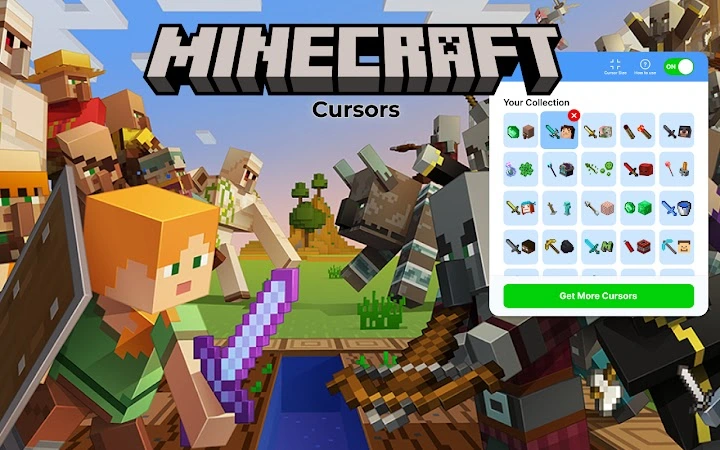
The Minecraft Custom Cursor for Chrome is a browser extension designed to transform the standard mouse pointer into a Minecraft-themed icon. Tailored for fans of the popular sandbox game, this tool offers a playful way to personalize the browsing experience. It enables users to replace their default cursor with a variety of Minecraft-inspired designs, enhancing visual engagement across web pages.
The extension is particularly suited for casual users and Minecraft enthusiasts who enjoy adding a touch of fun to everyday digital activities. Whether browsing social media, exploring gaming forums, or simply navigating the web, the custom cursor adds a layer of creativity and entertainment. Its simplicity makes it accessible to users of all ages, including younger audiences who appreciate the familiar game aesthetics.
As a fan-made project, the extension reflects community-driven innovation. It operates directly within the Google Chrome browser, requiring no complex setup. The developer did not provide additional details about the origin or team behind the project. The extension is available through the Chrome Web Store, ensuring a standardized distribution channel.
Key Features & Capabilities
- Minecraft-Themed Cursor Library – Access a wide selection of cursor designs inspired by Minecraft characters, blocks, and environments. Users can switch between different sets to match their mood or preferred theme.
- Customizable Cursor Size – Adjust the cursor size to be larger or smaller based on user preference, improving visibility and comfort during extended browsing sessions.
- One-Click Theme Application – Apply a new cursor theme with minimal effort. The interface is designed for immediate use, requiring no technical knowledge.
- Browser-Wide Compatibility – The custom cursor remains active across all web pages within Chrome, ensuring consistent visual customization.
- Easy Installation Process – The extension is available in the Chrome Web Store and can be installed with a single click, making it accessible even to non-technical users.
These features allow users to quickly transform their browsing interface into a more engaging space. For example, a Minecraft fan might use the extension while visiting fan art sites or game wikis, reinforcing their connection to the game’s universe. The ability to switch themes on demand supports dynamic personalization, ideal for users who enjoy variety.
User Interface, Workflow & Performance
The user interface of the Minecraft Custom Cursor extension is minimal and intuitive. Once installed, the extension icon appears in the Chrome toolbar, providing quick access to settings. The interface is designed to be straightforward, with no complex menus or hidden options.
Navigating the settings involves selecting from available cursor sets and adjusting size preferences. The workflow is streamlined, allowing users to apply changes in seconds. No additional tools or configuration steps are required.
Performance details were not specified by the developer. However, as a lightweight browser extension, it is expected to have minimal impact on system resources. The extension runs in the background and does not interfere with page loading or browsing speed. Stability is maintained through Chrome’s built-in extension management system. The developer did not specify resource usage details.
Compatibility & System Requirements
The extension is compatible with both Windows and Mac operating systems, ensuring broad accessibility across desktop platforms. It is designed specifically for the Google Chrome browser, meaning it will not function on other browsers without native support.
Exact system requirements were not listed. Installation size is not provided. The developer did not specify hardware requirements or minimum OS versions. Compatibility information is limited to the supported platforms and browser.
Users should ensure they are running a current version of Chrome to maintain optimal functionality. The extension may not work on outdated browser versions due to compatibility restrictions.
Pros and Cons
Pros
- Fun and engaging customization for Minecraft fans
- Simple one-click installation via Chrome Web Store
- Wide variety of Minecraft-themed cursor designs
- Adjustable cursor size for better visibility
- Free to use with no hidden costs
Cons
- No official developer information provided
- Limited to Chrome browser only
- Customization options are basic and focused on appearance
- Performance impact not publicly documented
- Not available for other operating systems beyond Windows and Mac
FAQ Section
Is the Minecraft Custom Cursor extension safe to install?
The extension is available through the official Chrome Web Store, which applies security checks to all submissions. As a result, it is considered secure for installation on supported devices.
Can I use this extension on browsers other than Chrome?
No, the extension is designed exclusively for Google Chrome. It is not compatible with other browsers such as Firefox, Edge, or Safari.
Does the extension require an internet connection to work?
Once installed, the extension functions offline. However, initial setup and theme updates may require an internet connection.
Is the extension free to use?
Yes, the extension is completely free. There are no subscription fees or in-app purchases.
How often are updates released?
Update frequency is not specified. Updates are typically released by the developer as needed, often in response to browser changes or user feedback.
Final Thoughts + CTA
The Minecraft Custom Cursor for Chrome delivers a simple yet effective way to personalize your browsing experience with playful, game-inspired visuals. While its functionality is limited to cursor customization, it excels in user-friendliness and immediate gratification. Ideal for casual users and Minecraft fans, it adds a layer of fun without compromising performance.
Despite the lack of detailed developer information and limited customization depth, the extension remains a solid choice for those seeking a light-hearted enhancement to their Chrome browser. Its free access and straightforward installation make it highly accessible.
Download Minecraft Custom Cursor for Chrome now







